
UGC NET Admit Card 2026: The National Testing Agency (NTA) on behalf of University Grants Commission (UGC) will conduct online CBT examination of UGC NET 2026 June Session from 22nd to 30th June 2026 across various cities. The examination is conducted twice annually for candidates to determine eligibility for Assistant Professor positions in colleges and universities. Also, provide financial support for research and phD studies by providing Junior Research Fellowship (JRF) & PhD admission in many universities. The UGC NET Admit Card 2026 June session will be released by 19th June 2026 at the official website https://ugcnet.nta.ac.in/. To download the hall ticket, candidates must login to official portal by using their REGISTRATION NUMBER and DATE OF BIRTH to get the admit card in PDF format. For reliable updates, always refer to official sources.
UGC NET 2026 June- Overview
| Organization | National Testing Agency (NTA) |
| Category | Exam News |
| Exam Name | University Grant Commission National Eligibility Test (UGC NET) |
| Frequency | Twice a year |
| UGC NET Admit Card 2026 | 19th June 2026 Onwards |
| UGC NET Exam Date 2026 | 22nd to 30th June 2026 |
| Mode of Exam | Computer-Based Test |
| Total Subjects | 87 |
| Official website | https://ugcnet.nta.ac.in/ |
| UGC NET JUNE 2026 WhatsApp Group Link | JOIN NOW |
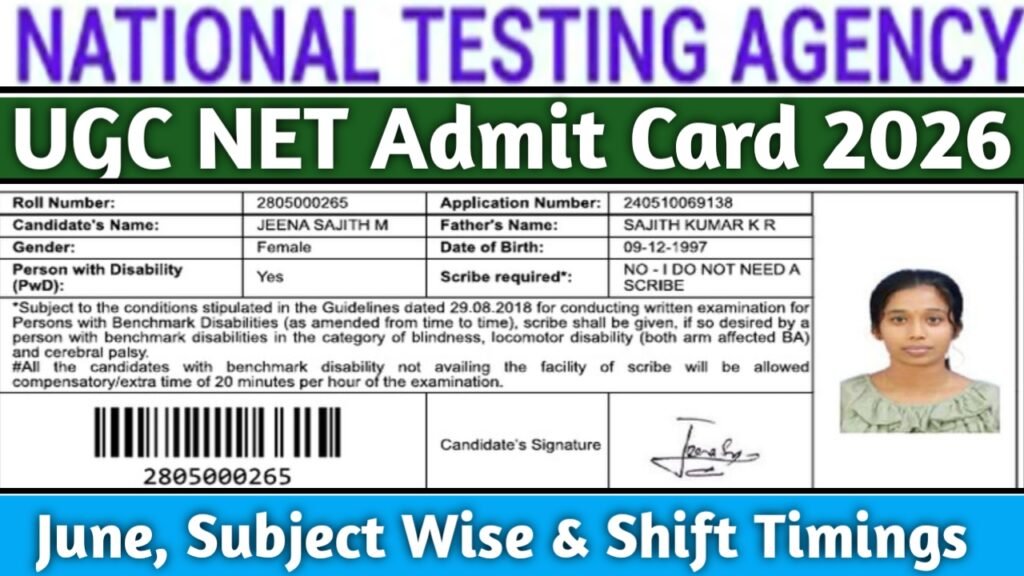
UGC NET Admit Card 2026 June
The UGC NET Exam 2026 June session is scheduled to be held from 22nd to 30th June 2026 across various exam centres. The UGC NET admit card June 2026 will be released by 19th June 2026 at the official website https://ugcnet.nta.nic.in. It serves as the eligibility proof and entry pass at the exam centre. To get hassle free Identity verification, candidates are required to bring Identity Card & 2 Recent Passport size photographs. For more information, visit the official portal.
UGC NET June 2026 Shift Timings
The UGC NET June 2026 examination for 87 subjects will be conducted in Computer-Based Test (CBT) mode in two shifts each day.
| Particulars | Shift 1 | Shift 2 |
|---|---|---|
| Entry to the Exam Centre | 7:20 AM to 8:30 AM | 1:45 PM to 2:30 PM |
| Attendance Formalities & Instructions | 8:30 AM to 9:00 AM | 2:30 PM to 3:00 PM |
| UGC NET Exam Timing | 9:00 AM to 12:00 Noon | 3:00 PM to 6:00 PM |
Details Printed on UGC NET Admit Card 2026 June
The UGC NET Admit Card 2026 generally contains the following details:
- Candidate’s Name
- Roll Number
- Application Number
- Father’s Name
- Date of Birth
- Category (General/OBC/EWS/SC/ST)
- PwD Status (if applicable)
- Candidate’s Photograph
- Candidate’s Signature
- Subject Name
- Subject Code
- Exam Date
- Shift Timing
- Reporting Time
- Gate Closing Time
- Duration of Examination
- Examination Centre Name
- Complete Address of the Exam Centre
- Exam City
- Important Exam Day Instructions
- NTA Helpdesk Details (if applicable)
UGC NET Subject List 2026
NTA will conduct the UGC NET June 2026 examination for 87 subjects, including the newly added Statistics and Forestry subjects. The complete subject list is as follows:
| Code | Subject Name |
|---|---|
| 01 | Economics |
| 02 | Political Science |
| 03 | Philosophy |
| 04 | Psychology |
| 05 | Sociology |
| 06 | History |
| 07 | Anthropology |
| 08 | Commerce |
| 09 | Education |
| 10 | Social Work |
| 11 | Defence and Strategic Studies |
| 12 | Home Science |
| 14 | Public Administration |
| 15 | Population Studies |
| 16 | Music |
| 17 | Management |
| 18 | Maithili |
| 19 | Bengali |
| 20 | Hindi |
| 21 | Kannada |
| 22 | Malayalam |
| 23 | Odia |
| 24 | Punjabi |
| 25 | Sanskrit |
| 26 | Tamil |
| 27 | Telugu |
| 28 | Urdu |
| 29 | Arabic |
| 30 | English |
| 31 | Linguistics |
| 32 | Chinese |
| 33 | Dogri |
| 34 | Nepali |
| 35 | Manipuri |
| 36 | Assamese |
| 37 | Gujarati |
| 38 | Marathi |
| 39 | French |
| 40 | Spanish |
| 41 | Russian |
| 42 | Persian |
| 43 | Rajasthani |
| 44 | German |
| 45 | Japanese |
| 46 | Adult Education |
| 47 | Physical Education |
| 49 | Arab Culture and Islamic Studies |
| 50 | Indian Culture |
| 55 | Labour Welfare/Personnel Management |
| 57 | Library and Information Science |
| 58 | Law |
| 59 | Buddhist, Jaina, Gandhian and Peace Studies |
| 60 | Comparative Literature |
| 62 | Women’s Studies |
| 63 | Mass Communication and Journalism |
| 65 | Performing Arts – Dance/Drama/Theatre |
| 66 | Museology and Conservation |
| 67 | Archaeology |
| 68 | Criminology |
| 70 | Tribal and Regional Language/Literature |
| 71 | Folk Literature |
| 72 | Comparative Study of Religions |
| 73 | Visual Arts |
| 74 | Women’s Studies |
| 79 | Visual Art (Drawing, Painting, Sculpture, etc.) |
| 80 | Geography |
| 81 | Social Medicine and Community Health |
| 82 | Forensic Science |
| 83 | Pali |
| 84 | Kashmiri |
| 85 | Konkani |
| 87 | Computer Science and Applications |
| 88 | Electronic Science |
| 89 | Environmental Sciences |
| 90 | International and Area Studies |
| 91 | Prakrit |
| 92 | Human Rights and Duties |
| 93 | Tourism Administration and Management |
| 94 | Bodo |
| 95 | Santali |
| 100 | Yoga |
| 101 | Sindhi |
| 102 | Hindu Studies |
| 103 | Indian Knowledge System |
| 104 | Disaster Management |
| 105 | Ayurveda Biology |
| 106 | Forestry |
| 107 | Statistics |
Steps to Download UGC NET June Admit Card 2026
Candidates can download their UGC NET June 2026 Admit Card from the official website by using their Application Number and Password by following the steps below;
- Visit the official UGC NET website at https://ugcnet.nta.ac.in
- On the homepage, click on the “UGC NET June 2026 Admit Card” link.
- Enter your Application Number and Password/Date of Birth.
- Fill in the Security Pin (Captcha Code) displayed on the screen.
- Click on the Sign In button.
- Your UGC NET June 2026 Admit Card will appear on the screen.
- Download the admit card PDF.
- Take a printout of the admit card and keep it safe for future reference.
Important Links
| UGC NET June 2026 WhatsApp Group Link | JOIN NOW |
| UGC NET Admit Card 2026 June Link | CLICK HERE |
| Official Website | CLICK HERE |
FAQs
You should carry a valid photo ID proof along with the printed admit card.
You should immediately contact the NTA helpdesk and request correction of the incorrect details.